Already sold? Jump to install ↓
👨👩👧👦 Built for familiesChat that kids love,
and parents trust.
SafeWingsChat lets your kids message family and approved friends — while you stay in the loop on who they're talking to, with every new contact needing to be approved by you first.
device: your parents or your own.
the games!?)
Kids want to chat. Parents want to know it's safe. Most apps make you choose between those two.
General-purpose chat and social apps are built for anyone to talk to anyone — great for adults, risky for kids. Parental-control apps try to add monitoring onto existing apps. SafeWingsChat is built parent-first from day one.
Strangers are one tap away
On most chat and social apps, anyone can find and message a child directly — no parent ever sees the request.
Monitoring as an add-on
Parental control apps try to watch a chat app that was never built with parental control in mind — always a step behind.
Built parent-first
SafeWingsChat flips it around: no contact exists without a parent's yes, from the very first message.
Everything a chat app should be — with a parent still holding the keys. Give your child wings but teach them to fly safely.
Full oversight
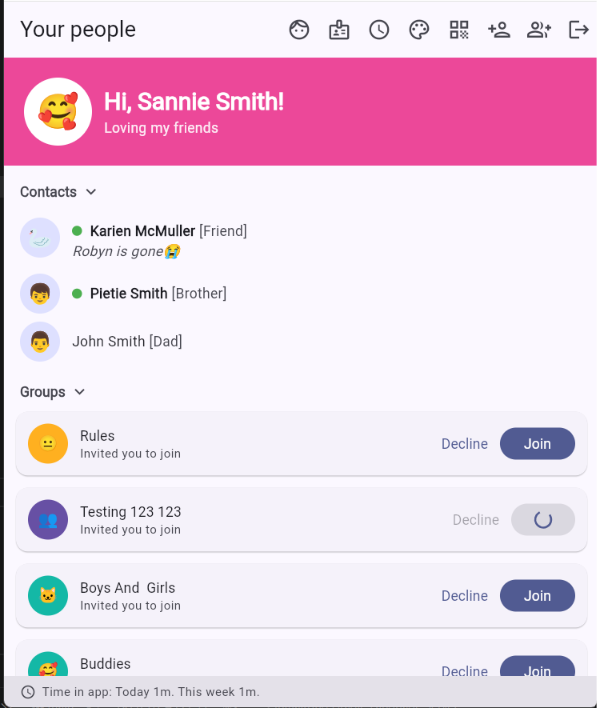
See every contact, every flagged word, every conversation — right from your own dashboard.
Approval-first contacts
Nobody gets added without a parent saying yes.
Play games with your friends
Tic-tac-toe, rock-paper-scissors, dots and boxes, battleship and many more — playable right inside a chat, with a running scoreboard between you and your friend.
Pin the app to one screen
On Android (iOS will be implemented later), the app can enable app-pinning, so your child's phone stays locked to SafeWingsChat — no jumping to other apps.
From sign-up to first "hi 👋" in six easy steps
Here's exactly what happens, in order — no surprises.
Create your family
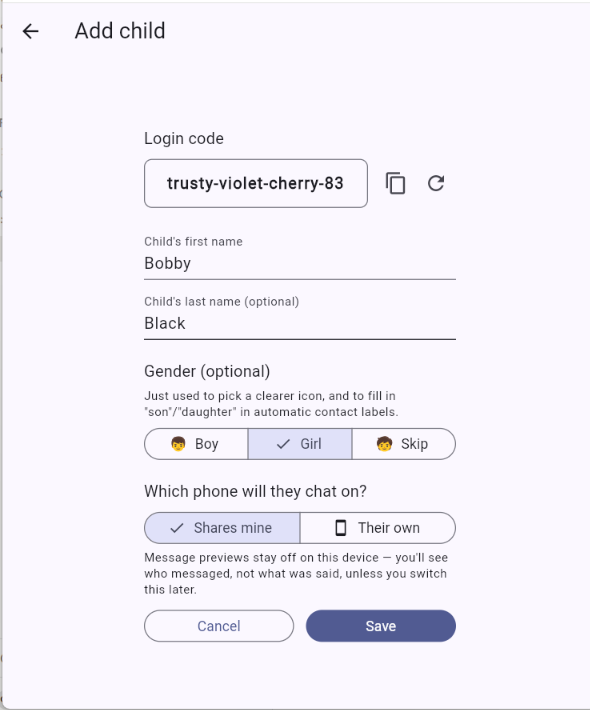
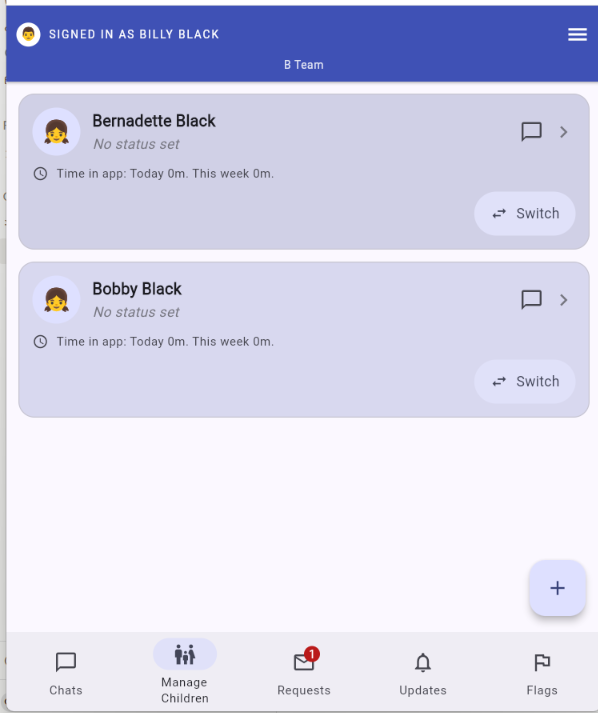
Register with your email. If you want to add your spouse to your family, provide their email and they will receive an invite. Then add each of your children — their name, gender and whether they'll be using their own device or sharing yours.
- Takes about two minutes for the whole family
- Add as many children as you need
- You can always come back and add more later
Kids sign in with a memorable code
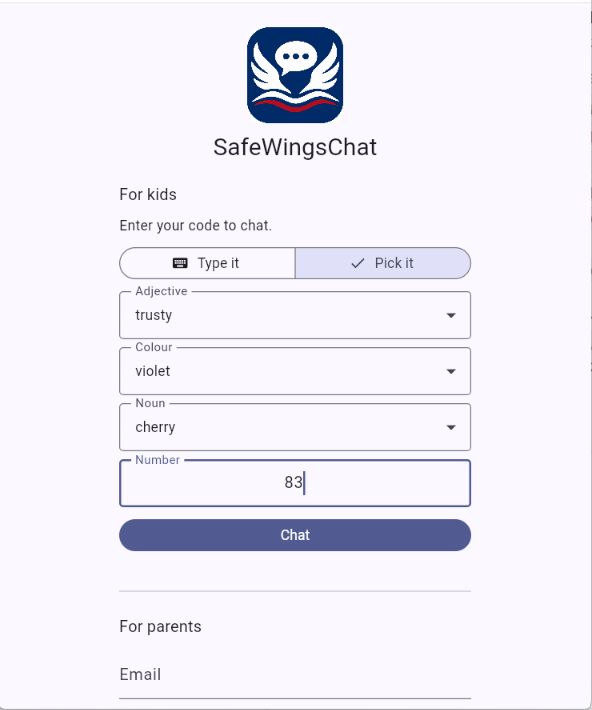
No email, no password to forget. Every child gets a simple code like happy-blue-apple-63 — type it in, or pick it word by word from friendly lists, and they're straight into their chats.
- A parent can view or regenerate the code any time
- Works the same on a shared family device or their own
Family is connected from day one
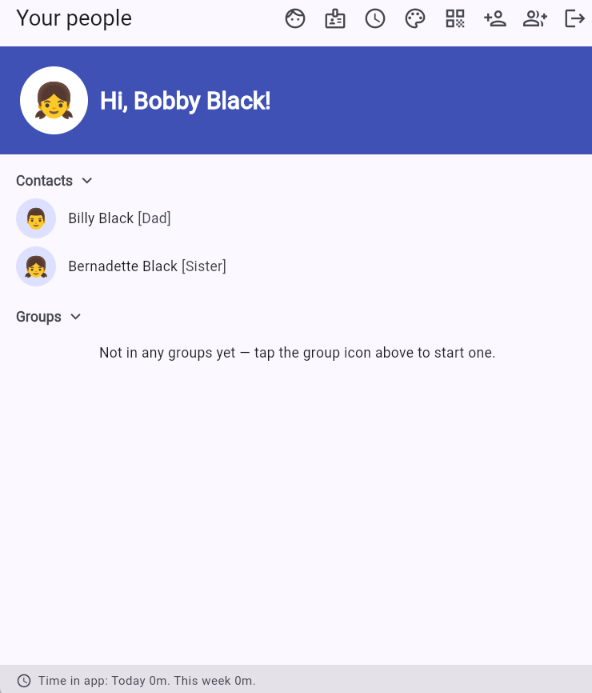
The moment someone joins the family, they can chat with every other parent and child already in it — no setup, no approvals needed for people already on the inside.
- Every parent can message every child, and vice versa
- Relationship labels (Mom, Brother, Son…) fill in automatically
Connect with people outside your family
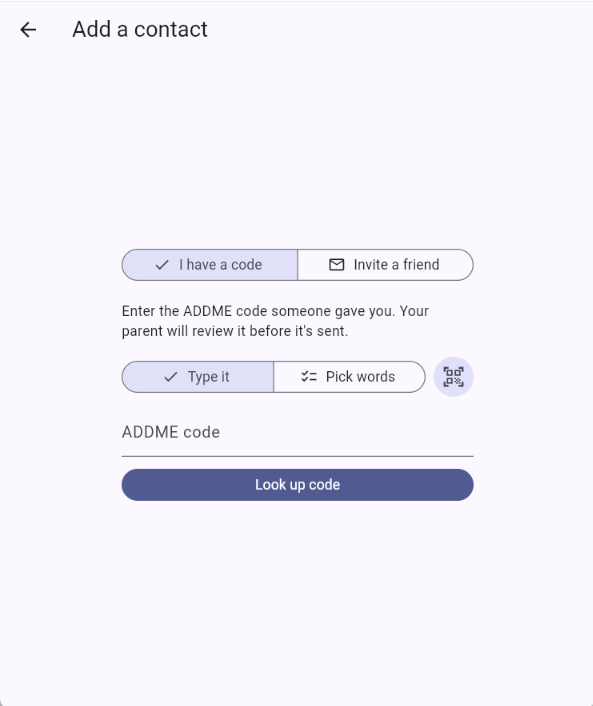
Every person has their own share code, like ADDME:cat-dances-lovely-33 or a scannable QR code. Hand it to someone — a cousin, a classmate, a teacher — and here's what happens next:
- Got someone's code/QR? Enter/Scan it, add your name and a short note, and it goes straight to their parent for approval.
- Adding another parent? Just use their email — no code needed.
- Your child has a code? They submit it, and you decide whether to actually send the request to the other parents.
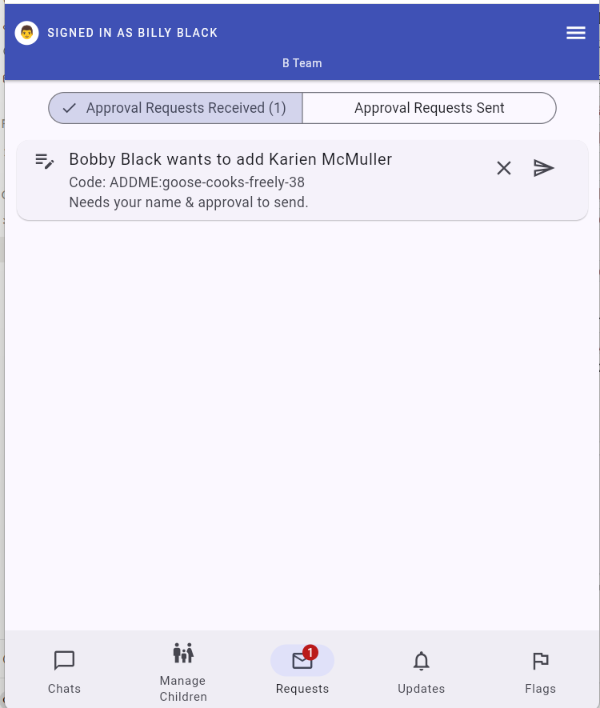
Every request lands on your desk
Nothing connects without you. Your Requests inbox splits things simply: Incoming — things waiting on you, whether that's your own kid's request or someone else's — and Outgoing — what you've sent and who's still thinking it over.
- Approve or decline with one tap
- Cancel a request you've sent, any time before it's answered
Chat, with peace of mind built in
From here it's just chatting — with a quiet safety net running underneath. Flagged messages show up in your dashboard, every conversation stays permanent and unedited, and you can dip into any child's chat history whenever you want to check in.
- Set a chat schedule for each day of the week — a school-night curfew, a looser weekend cutoff, whatever suits your family
- Outside those hours the app locks completely, so there's no peeking at old chats either
The features you'll forget are even there — until you need them
No unedited history
Messages can never be edited or deleted after the fact — what was sent is what stays on record.
Keyword flagging
Risky phrases are detected automatically and parents are notified, without you having to read every message.
App Check protected
Only the real, verified app can talk to our backend — not scripts, bots, or a leaked API key.
Every parent sees everything
Co-parents share full visibility — flags, contacts, and chat history are never siloed to just one parent.
Good to know
No. Children sign in with a simple share code a parent generates for them — no email or password required.
No. Anyone outside your immediate family — whether your child or the other person's parent starts it — needs a parent's approval on both sides before a conversation can happen.
Not yet — photo sharing is in development and will use the same two-parent-approval model as everything else in the app. Text chat, contact approval, and safety flagging are all fully live today.
Yes. Any parent in the family can open a read-only view of a child's conversations at any time, and flagged messages are surfaced automatically.
Yes. Set a different schedule for each day of the week — for example, no chatting after 8pm on school nights but a later cutoff on weekends. Outside those hours the app locks completely, showing your child that week's schedule instead of their chats.
This is for the parents to decide. SafeWingsChat is simple enough for primary school kids to understand. And lot of emojis for those who still struggle with typing. Yet, it's versatile enough for teenagers to keep in contact with their friends.
Ready to install and set up your family?
It takes about two minutes to register and add your first child. SafeWingsChat is live on the web today, with an early Android build available ahead of the Play Store.
The Android link is a direct install ahead of the Play Store — your phone may warn about "unknown sources," which is expected for an app not yet listed there.